Young adults today operate in a high-velocity, always-on environment. Productivity pressure, social comparison, loneliness, and uncertainty have become routine. The emotional fallout is predictable: rising anxiety, chronic stress, burnout cycles, and difficulty seeking support early.
Mental-health apps exist, but the market tends to polarize:
Overly clinical, which can feel cold and intimidating
Overly playful, which can feel shallow or gimmicky for someone in distress
The resulting gap creates a fundamental design opportunity:
Craft a visual and functional system that feels trustworthy without being clinical, warm without being childish, and accessible without friction.
EmoCare was built as a sandbox to solve exactly this—through a scalable, emotionally sensitive design system.
Key insights surfaced:
1. Calm & Headspace
Strong atmospheric visuals but heavy dependency on illustrations
Emotional warmth, but limited personalization
Systems sometimes feel “visual-first” rather than “system-first”
2. Wysa & Replika
Conversational UX is central
Avatars and chat UIs often lean into a robotic or playful tone
Visual identity fluctuates across surfaces
3. BetterHelp
Professional tone but leans heavily clinical
Limited emotional softness
Usability patterns vary across flows
4. 7 Cups & Sanvello
Utility-driven but visually inconsistent
Dense screens that increase cognitive load
Lack of emotional cushioning during difficult tasks
Strategic Gap Identified
There’s no major player delivering:
A scalable design system anchored in emotional well-being
A visual language balancing trust + warmth
Accessibility considerations baked into the foundation
A consistent experience from microcomponents to full pages
This gap became the north star for the EmoCare design system.
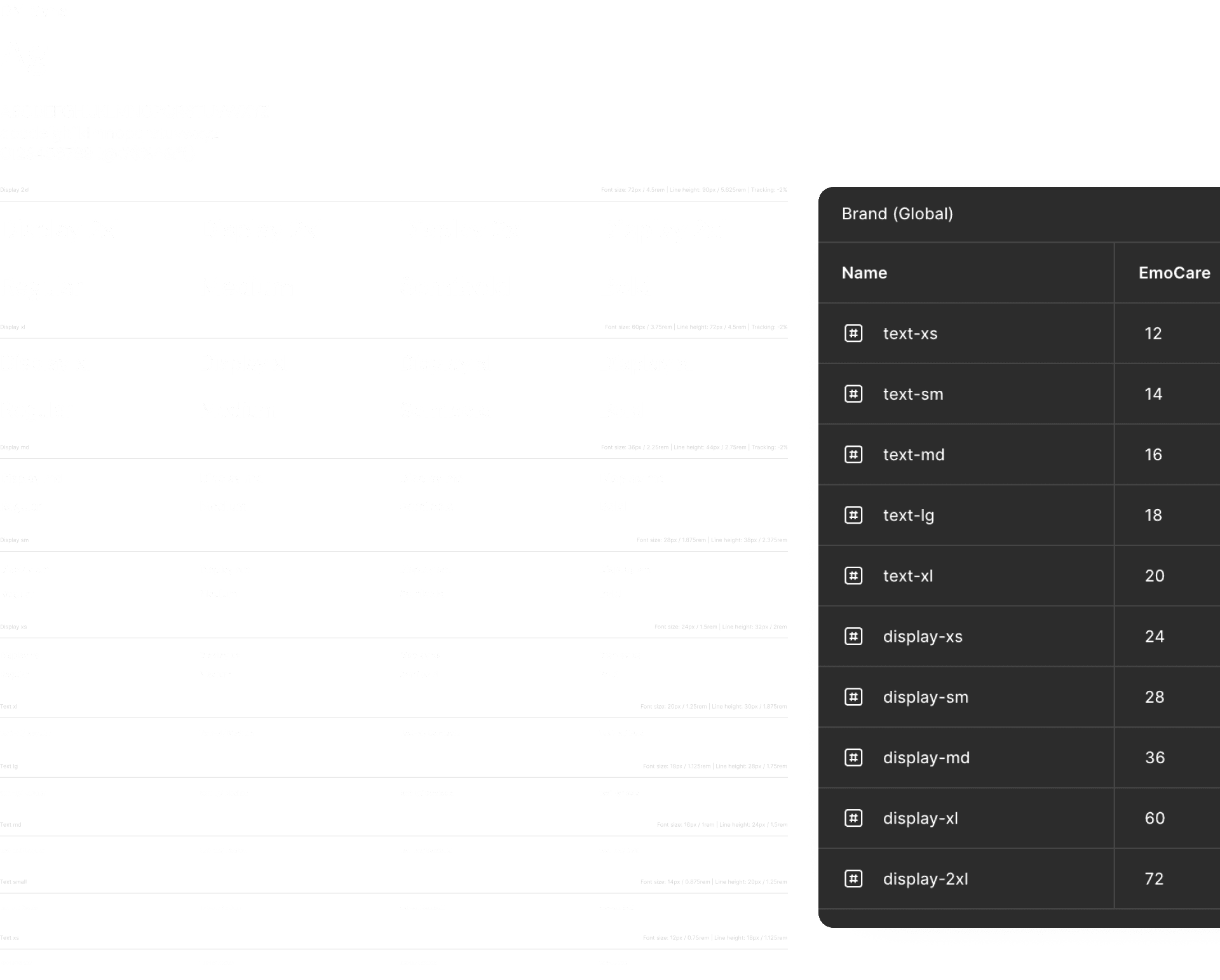
The typography system defines a consistent set of text styles used across the product.
Each text style is mapped to design tokens and includes guidance on hierarchy, usage, and readability across different contexts.
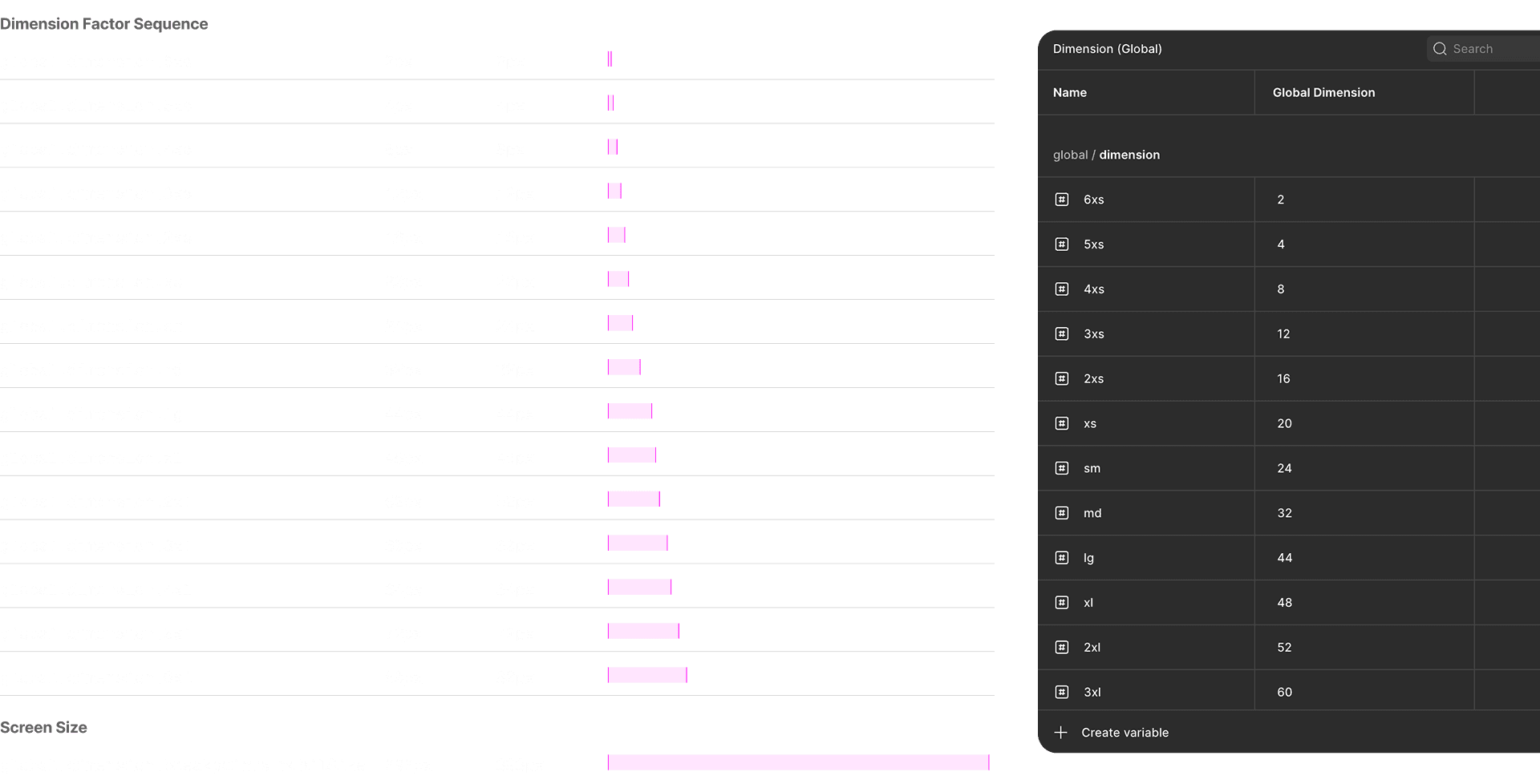
The spacing system defines a set of standardized spacing values used for layout, alignment, and component composition.
The border radius system defines consistent corner treatments for UI elements.
Standardized radius values help maintain visual cohesion across components while supporting a soft interface.

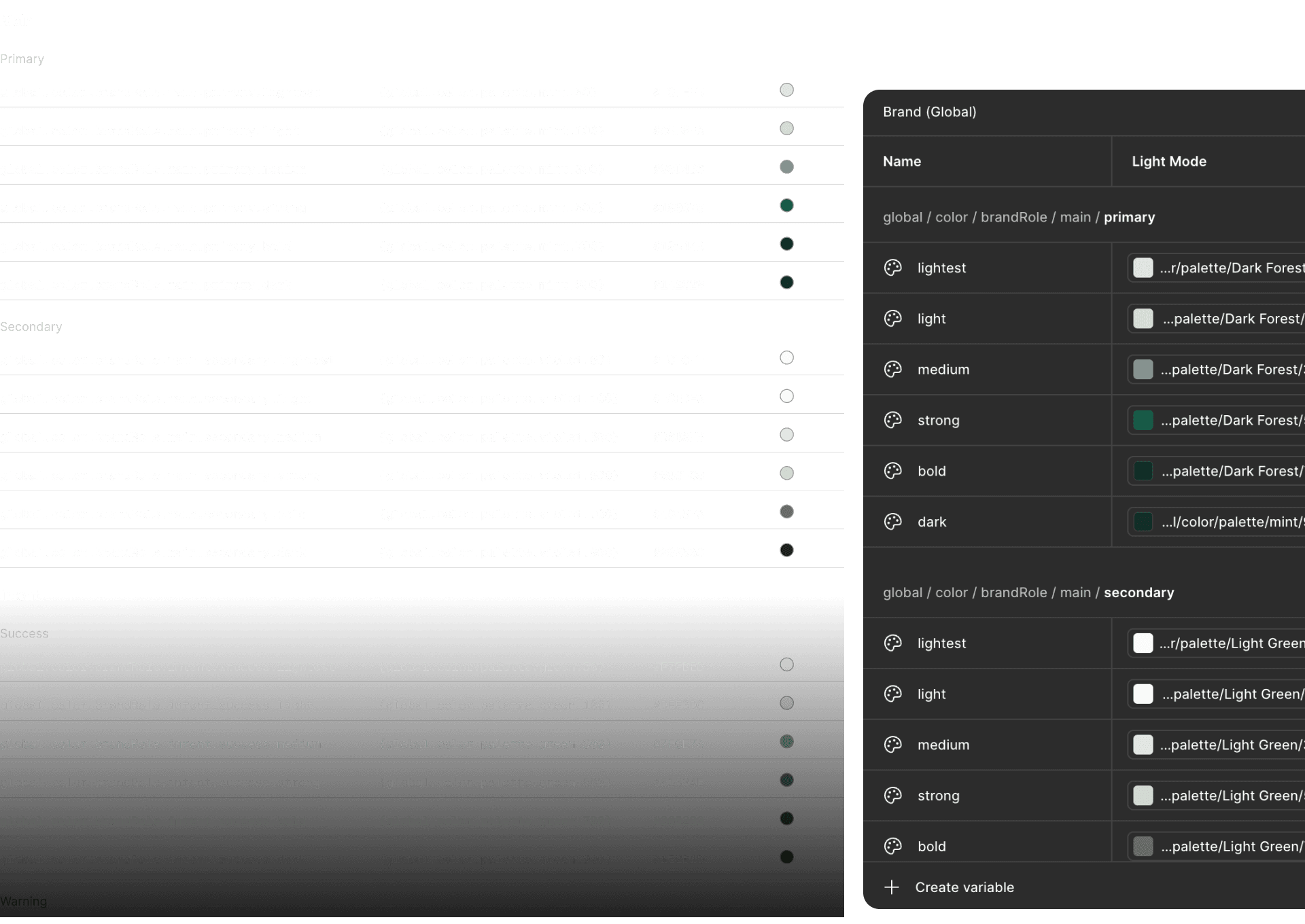
The color system establishes a structured palette for backgrounds, text, borders, and interactive elements.
Each color is defined as a token to support consistency, accessibility, and scalable theming across the product.
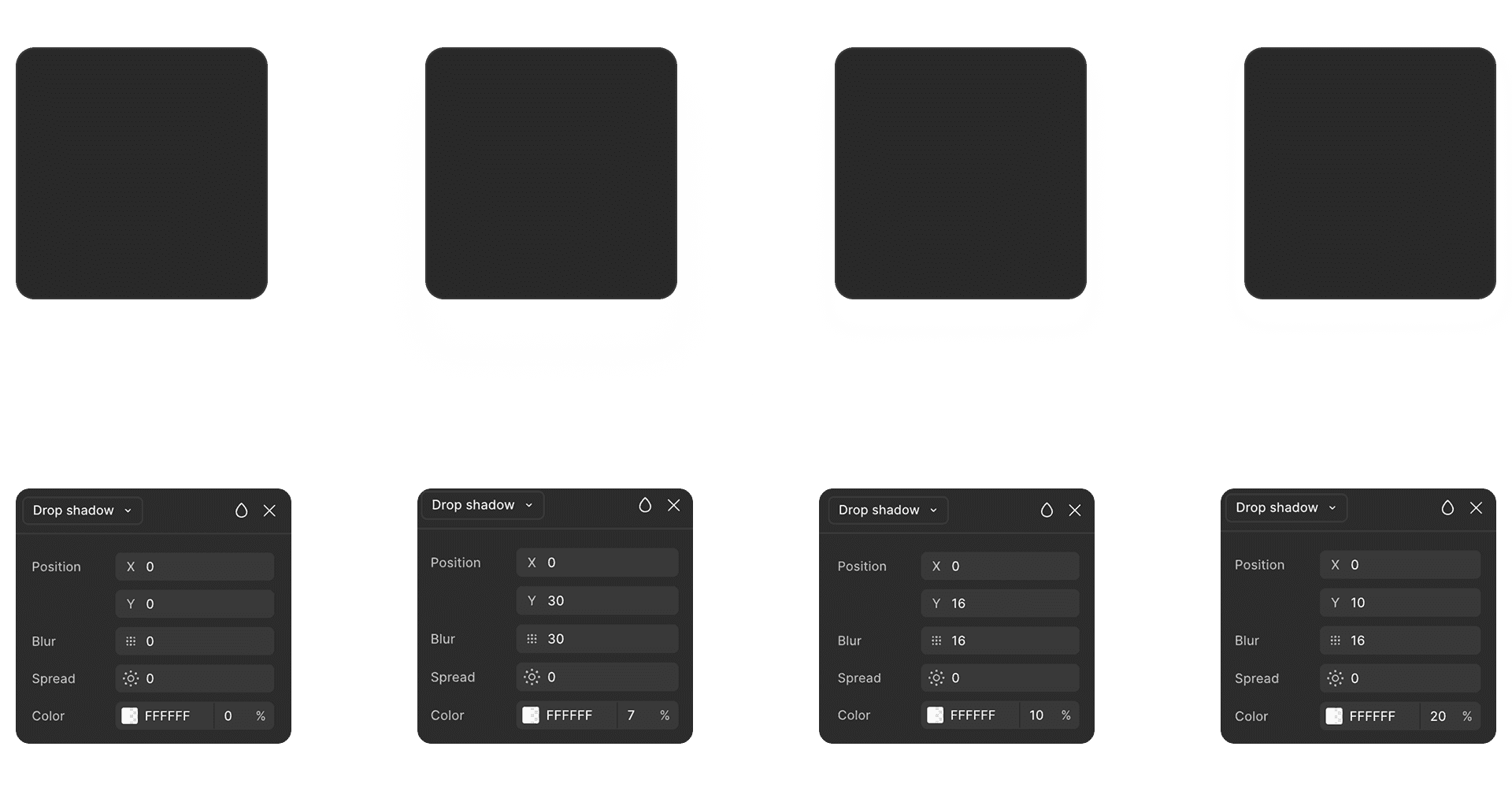
The shadow system defines elevation levels used to communicate hierarchy and focus.
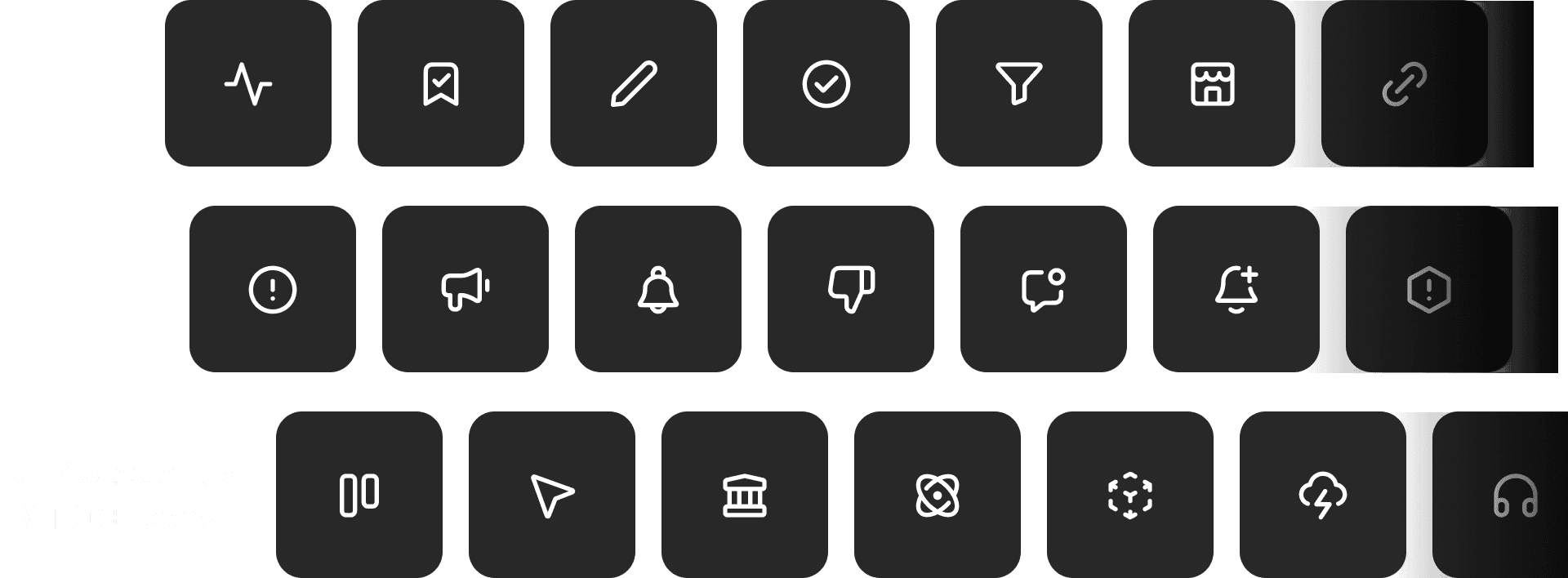
The icon system provides a unified set of symbols used to support navigation, actions, and status communication.
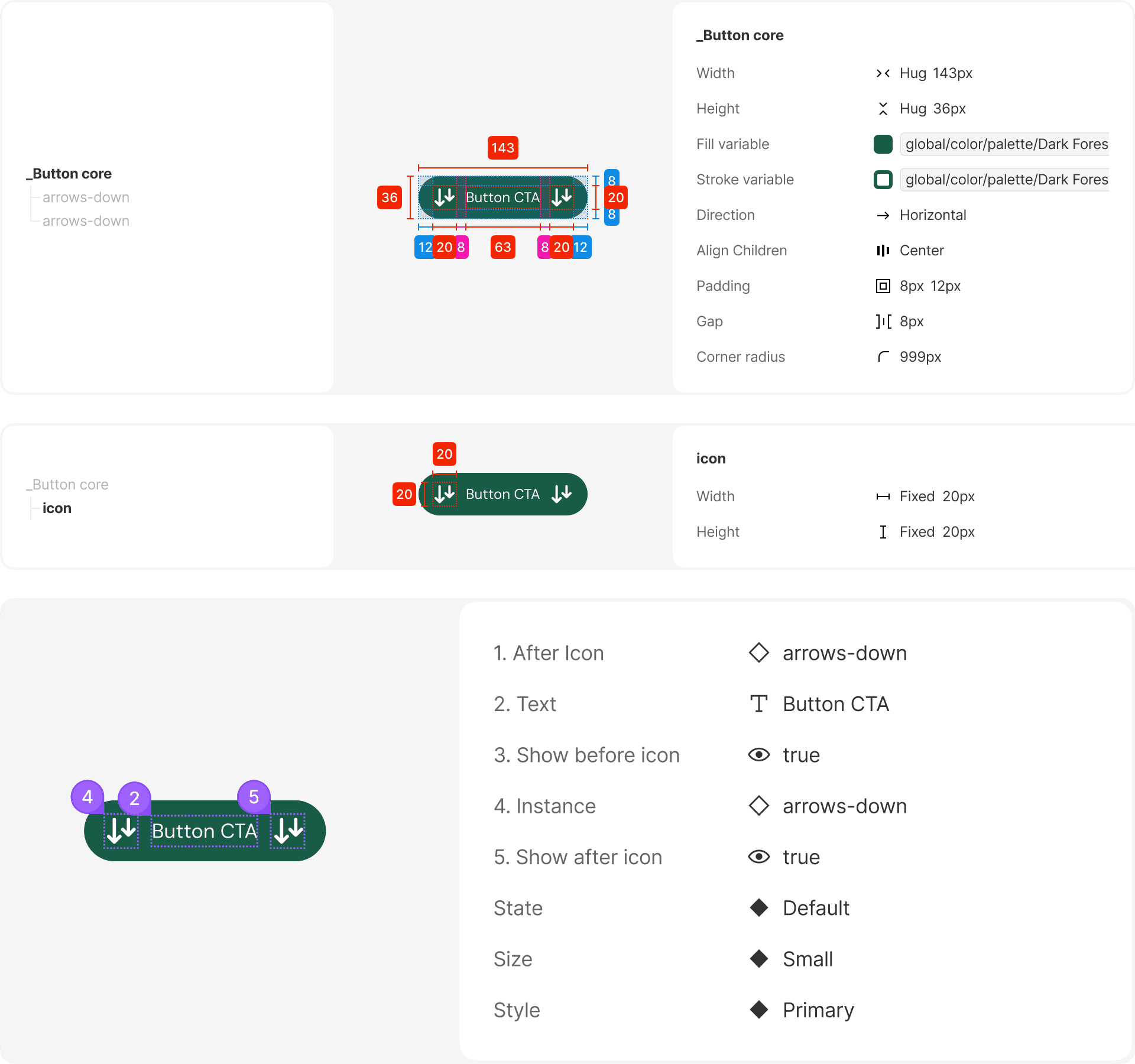
The button system defines standardized action components used throughout the product.
Button variants, sizes, and states are designed to clearly communicate hierarchy and user intent.
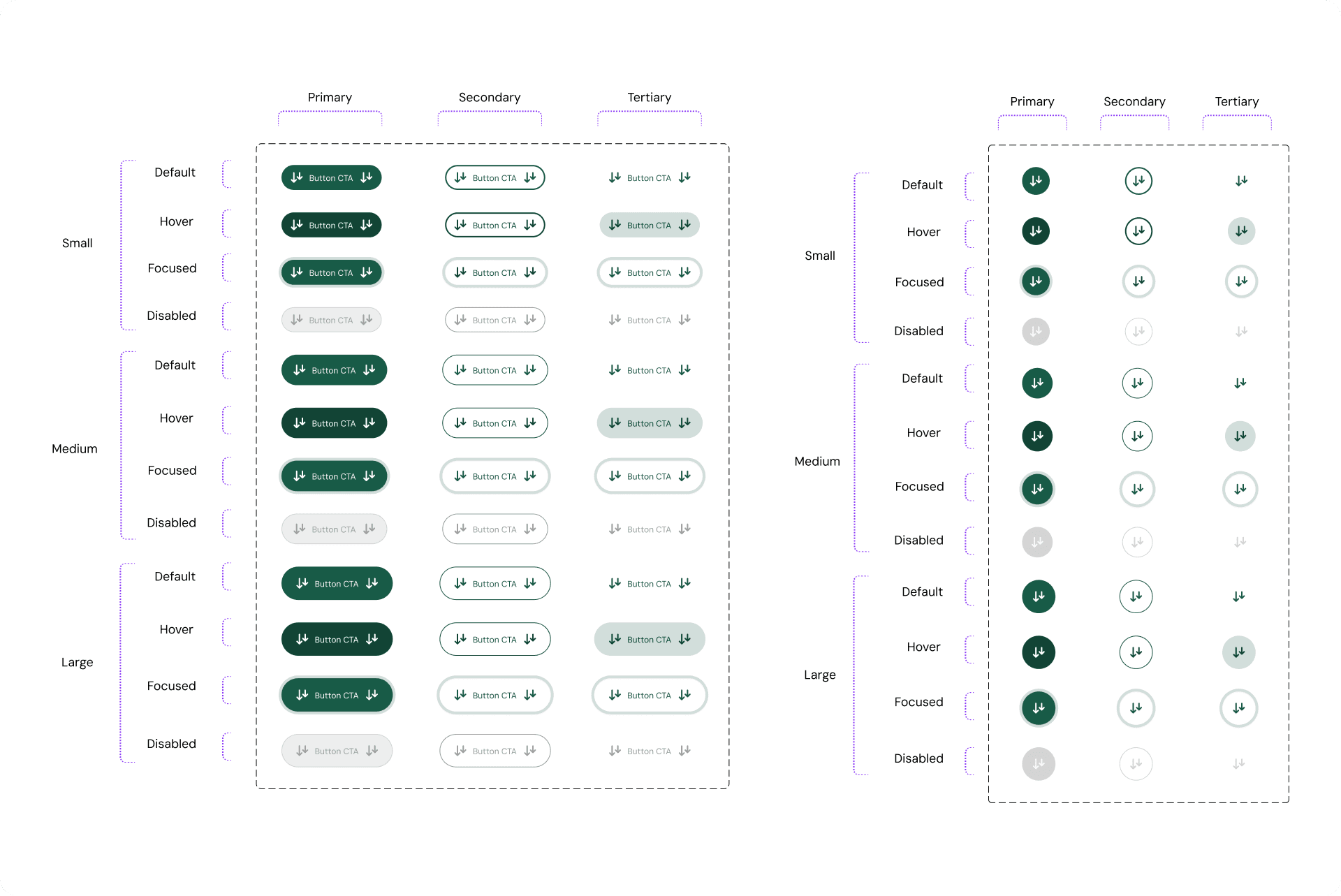
Button Documentation
This documentation outlines button variants, interaction states, and usage guidelines.
It serves as a reference to ensure consistent implementation across different features and flows.
The input field system defines text inputs used for data entry across the product.
Each field follows a consistent structure to support clarity, validation, and accessibility.
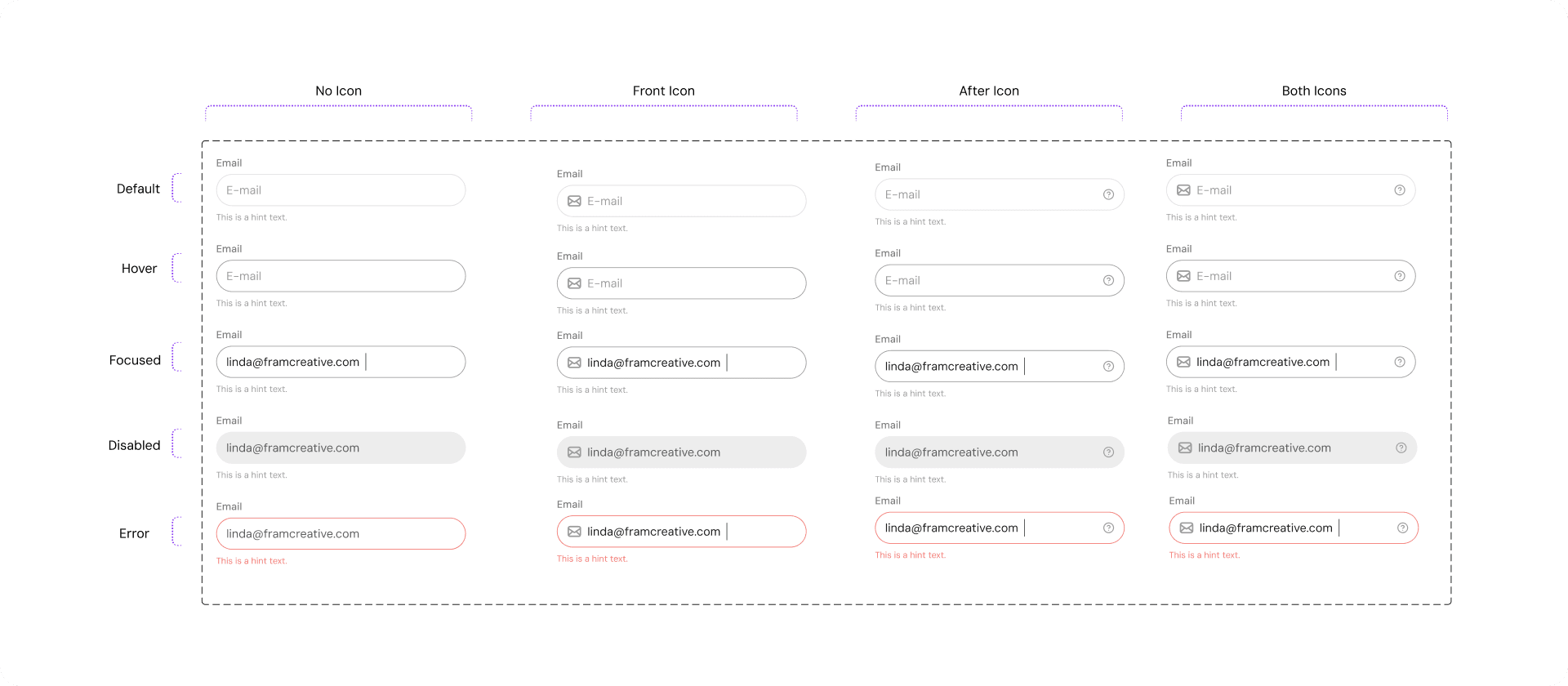
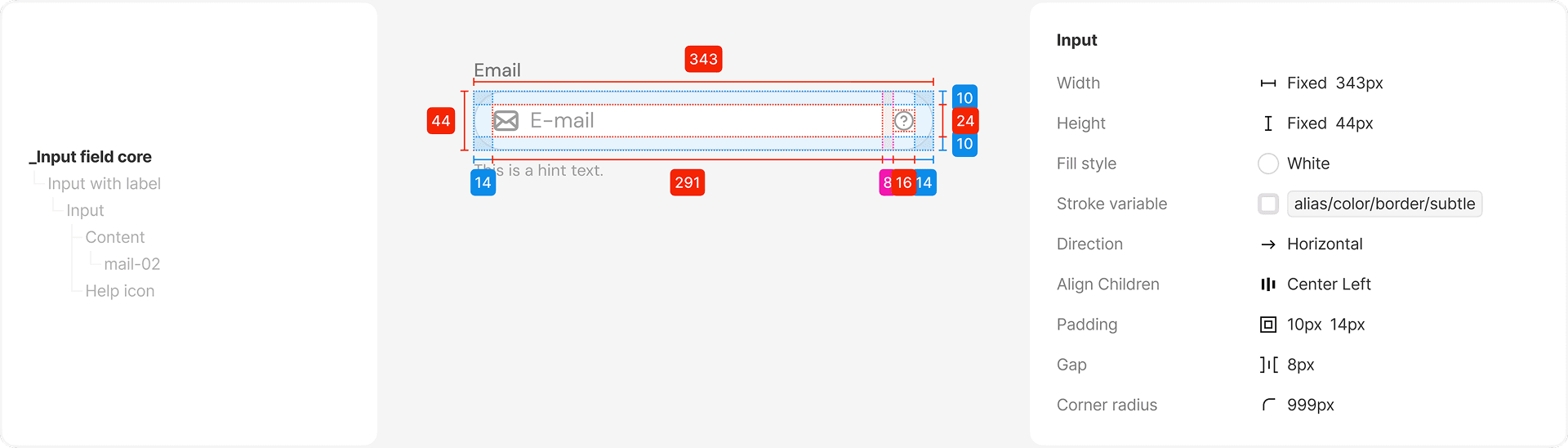
Input Field Documentation
This documentation details input field anatomy, states, and behavior.
It ensures predictable form interactions and reduces ambiguity during implementation.
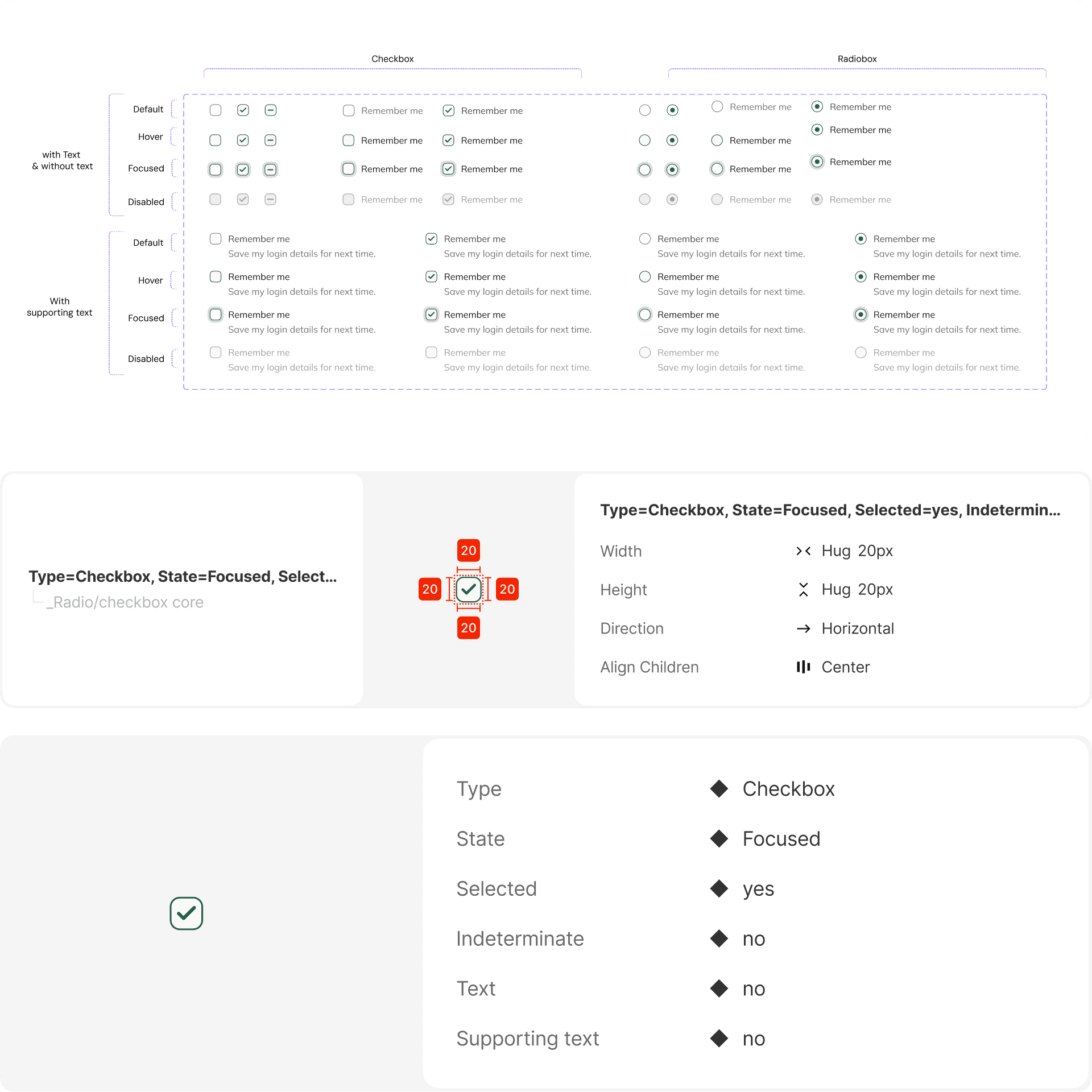
Checkboxes and radio buttons are selection controls used for single and multiple-choice inputs.
They follow consistent interaction patterns to ensure ease of use and accessibility.
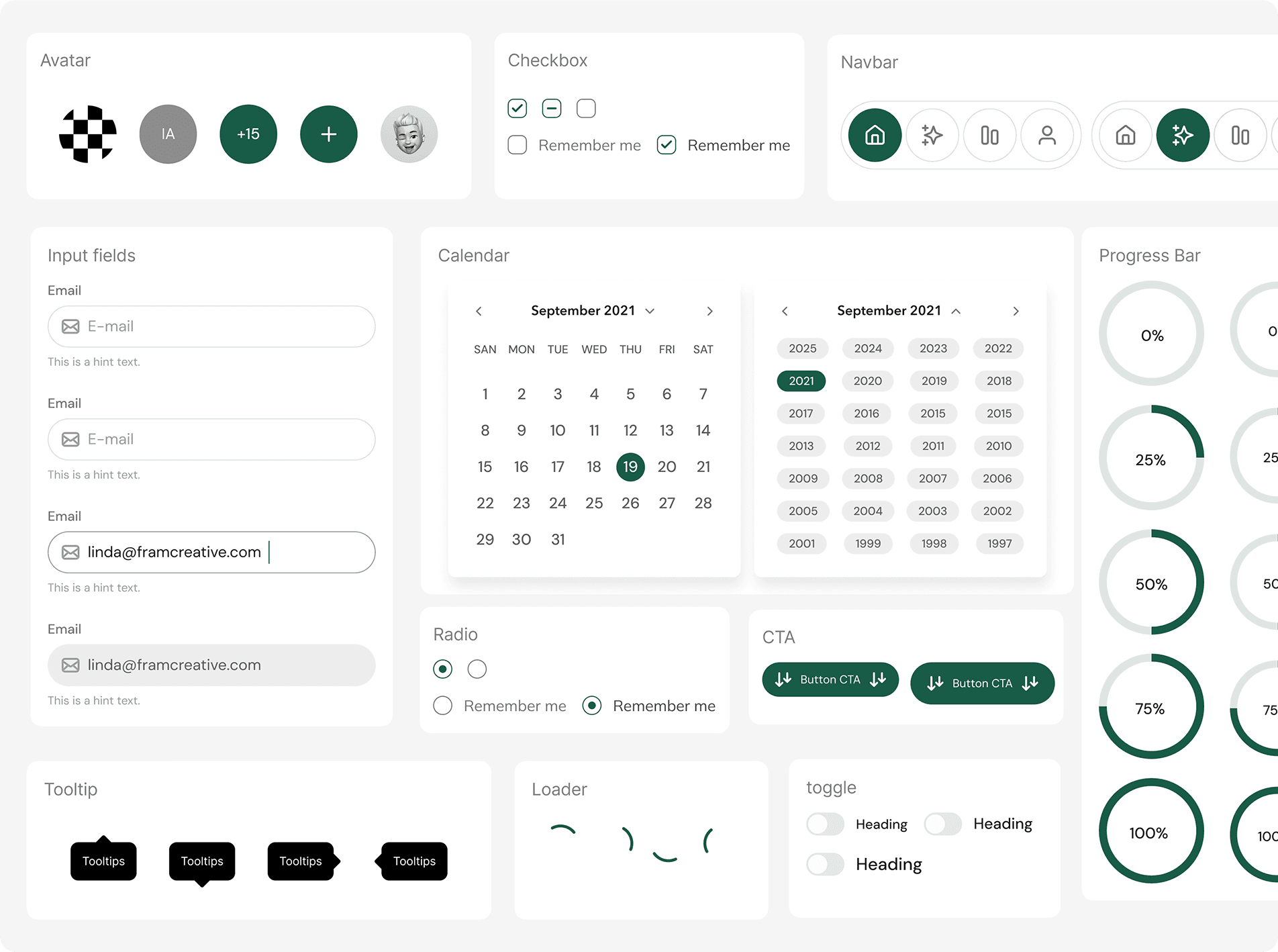
This section includes additional components used across the product that follow the same system principles.
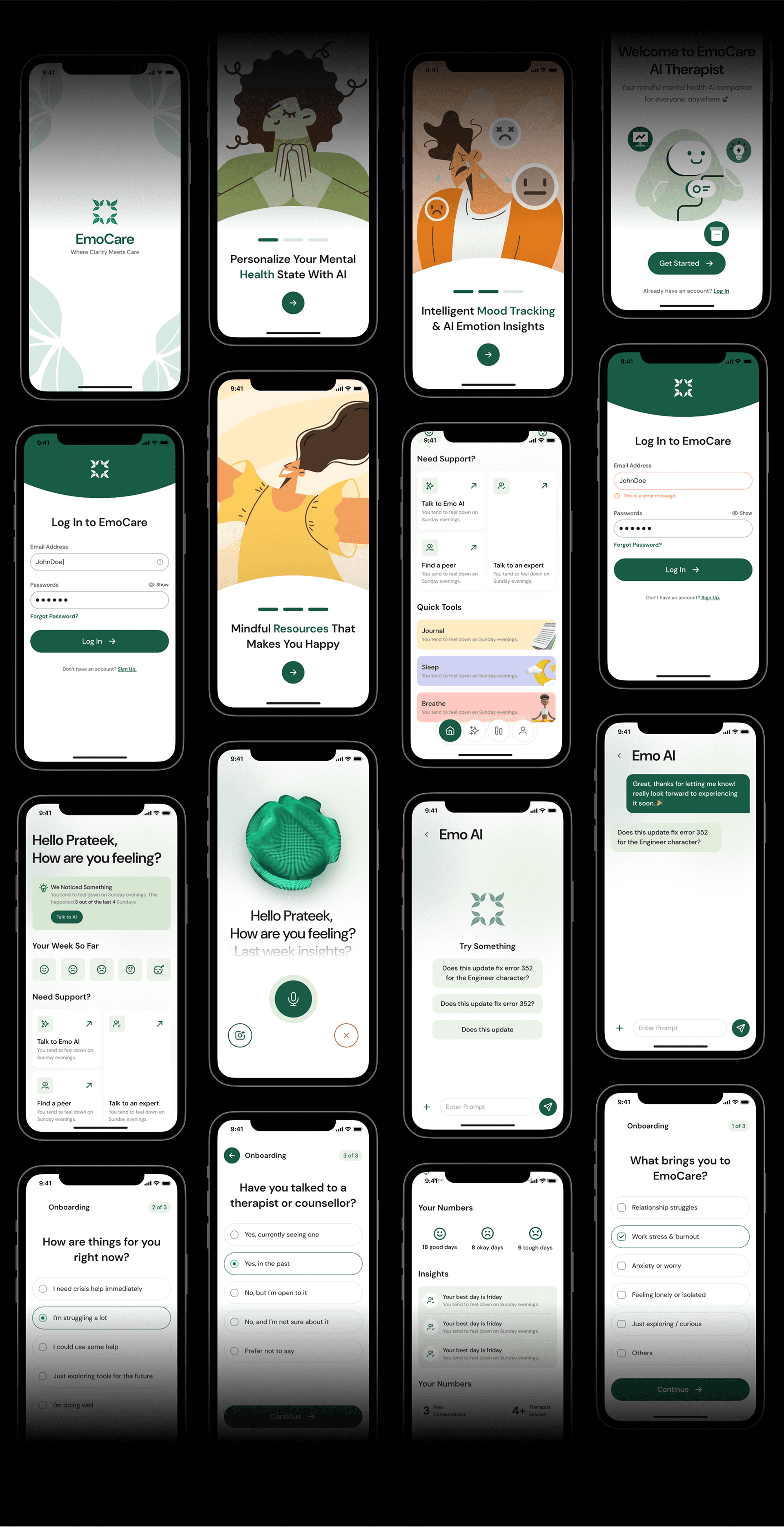
The final screens demonstrate how the design system is applied across real product scenarios.
They validate consistency, scalability, and visual coherence at the page level.